

How to Turn Off Firewall in Windows?
How to Turn Off Firewall in Windows?
Hello, today I will show you step by step how to turn off the firewall in Windows.
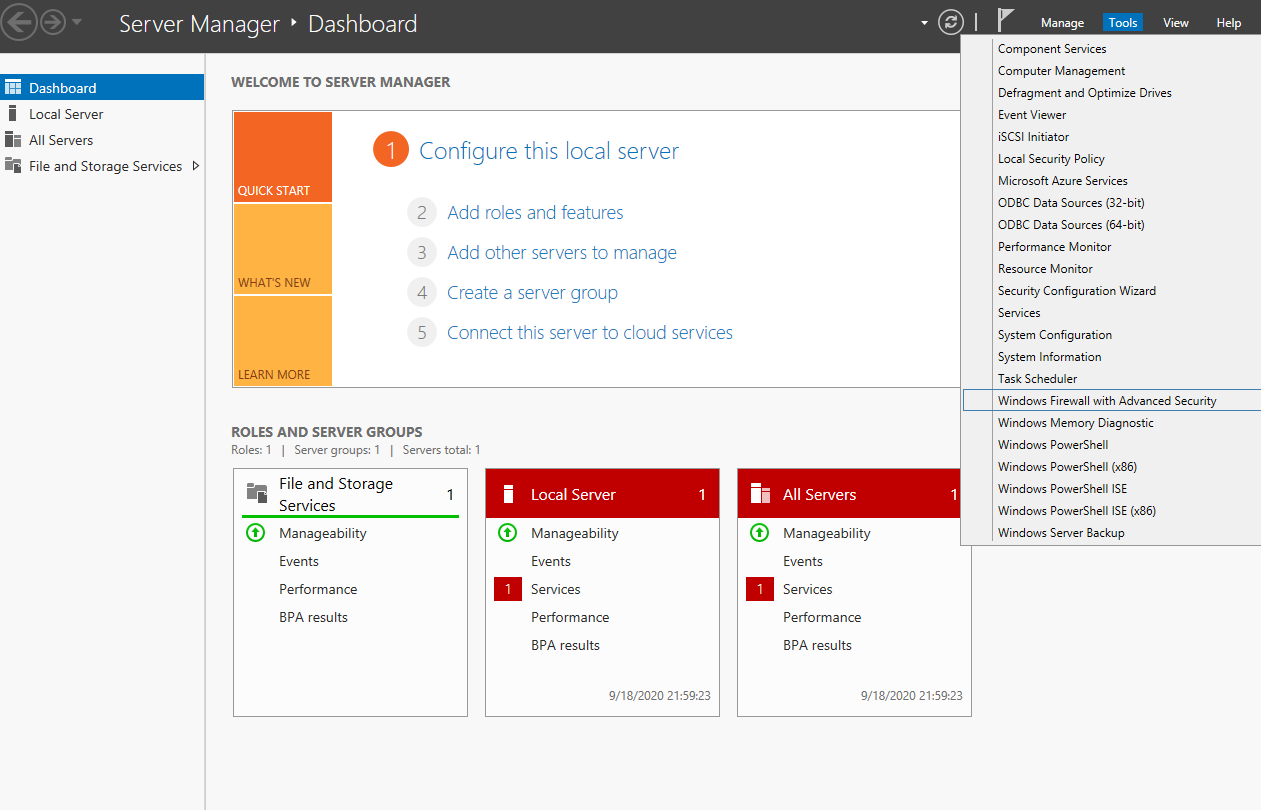
1. Step: Opening Server Manager
Run the program called "Server Manager" located right next to the Windows menu button at the bottom left and proceed as shown on the screen.
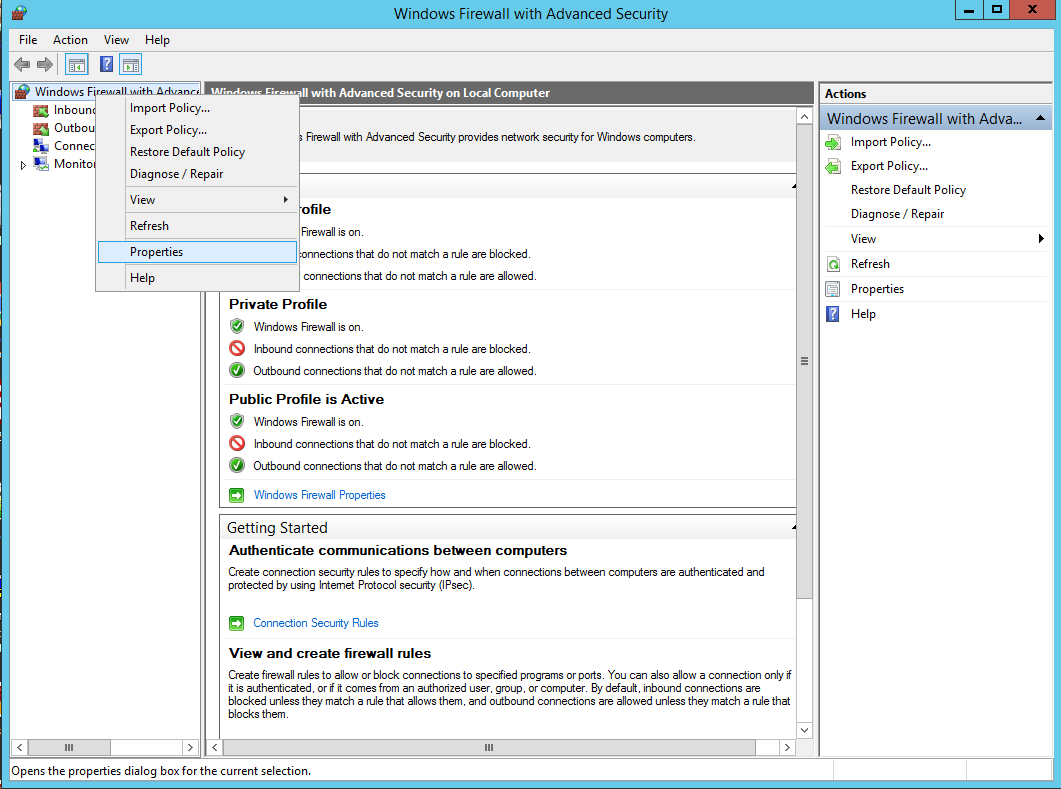
2. Step: Turning Off the Firewall
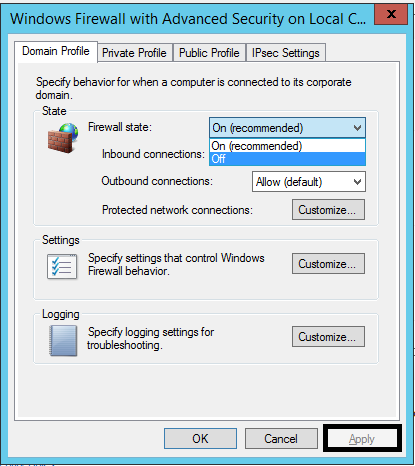
Follow the steps shown in the screenshots.
Note: After completing the process, do not forget to click on the "Apply" button enclosed in a black box on the last screen.
3. Step: Process OK
You're done! Your Windows firewall is now disabled.