

How to Open a Port to Windows Server 2012 R2 Server?
Guide to Opening Ports on Windows Server 2012 R2
Hello, today I will show you how to open a port on Windows Server 2012 R2 operating system.
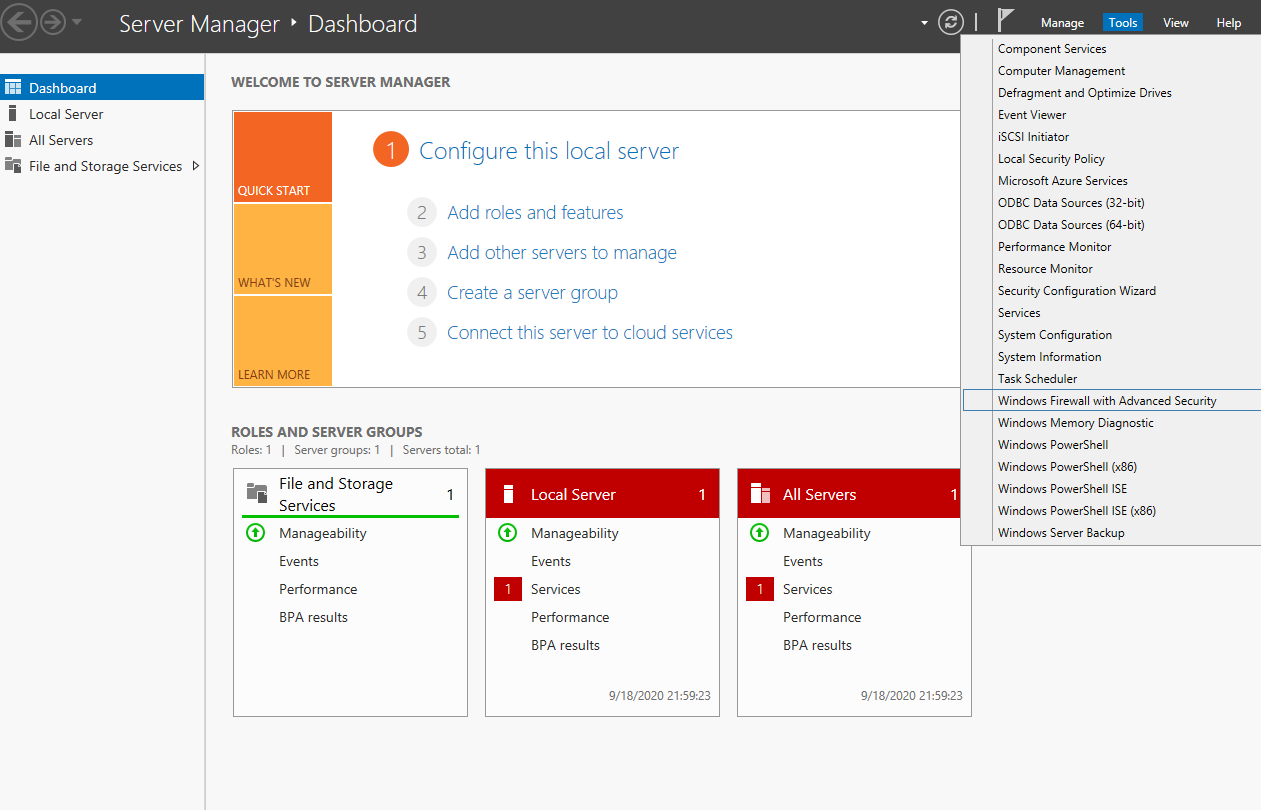
1. Step: Opening Server Manager
Run the program called "Server Manager", located right next to the Windows menu button at the bottom left, and follow the steps below:
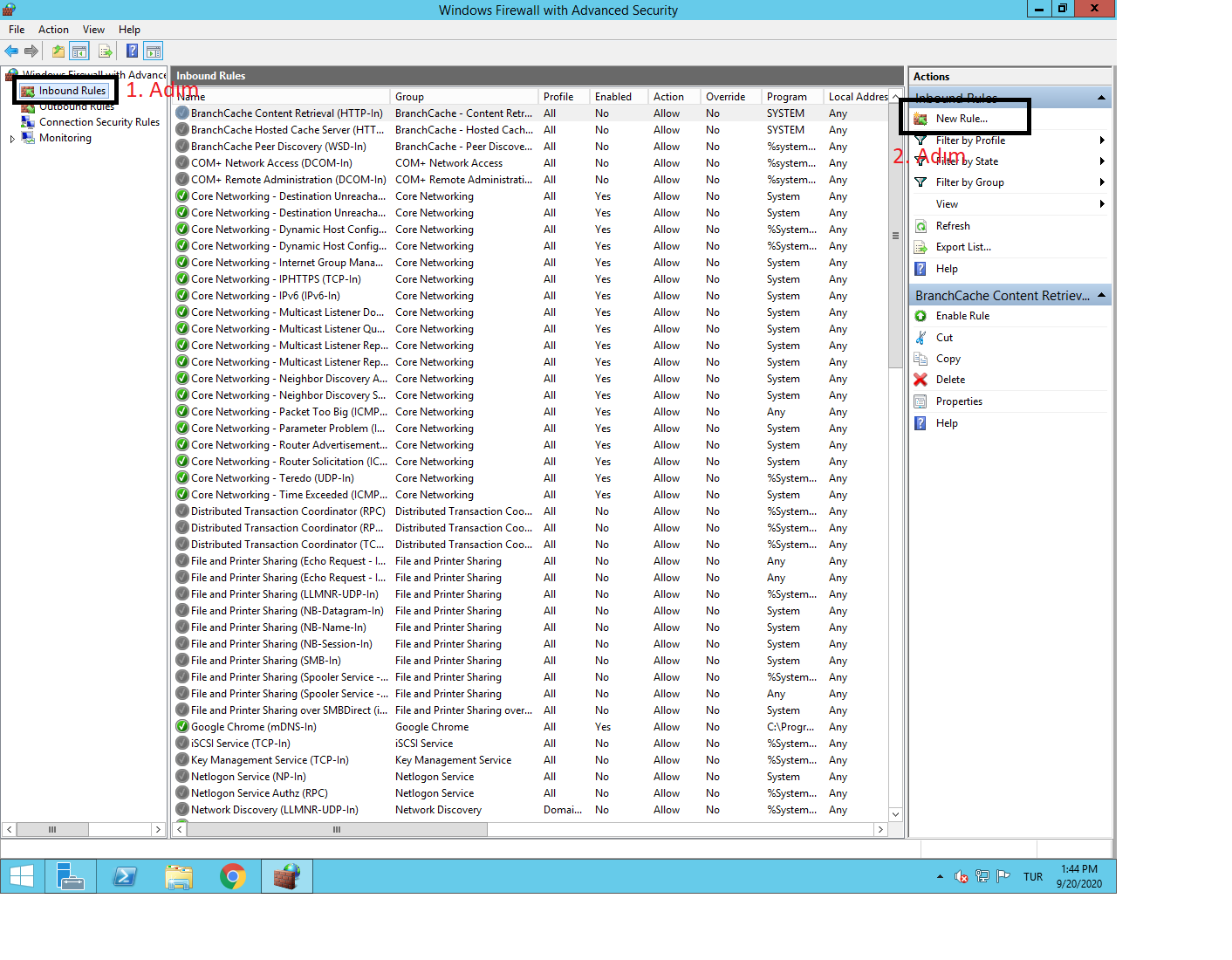
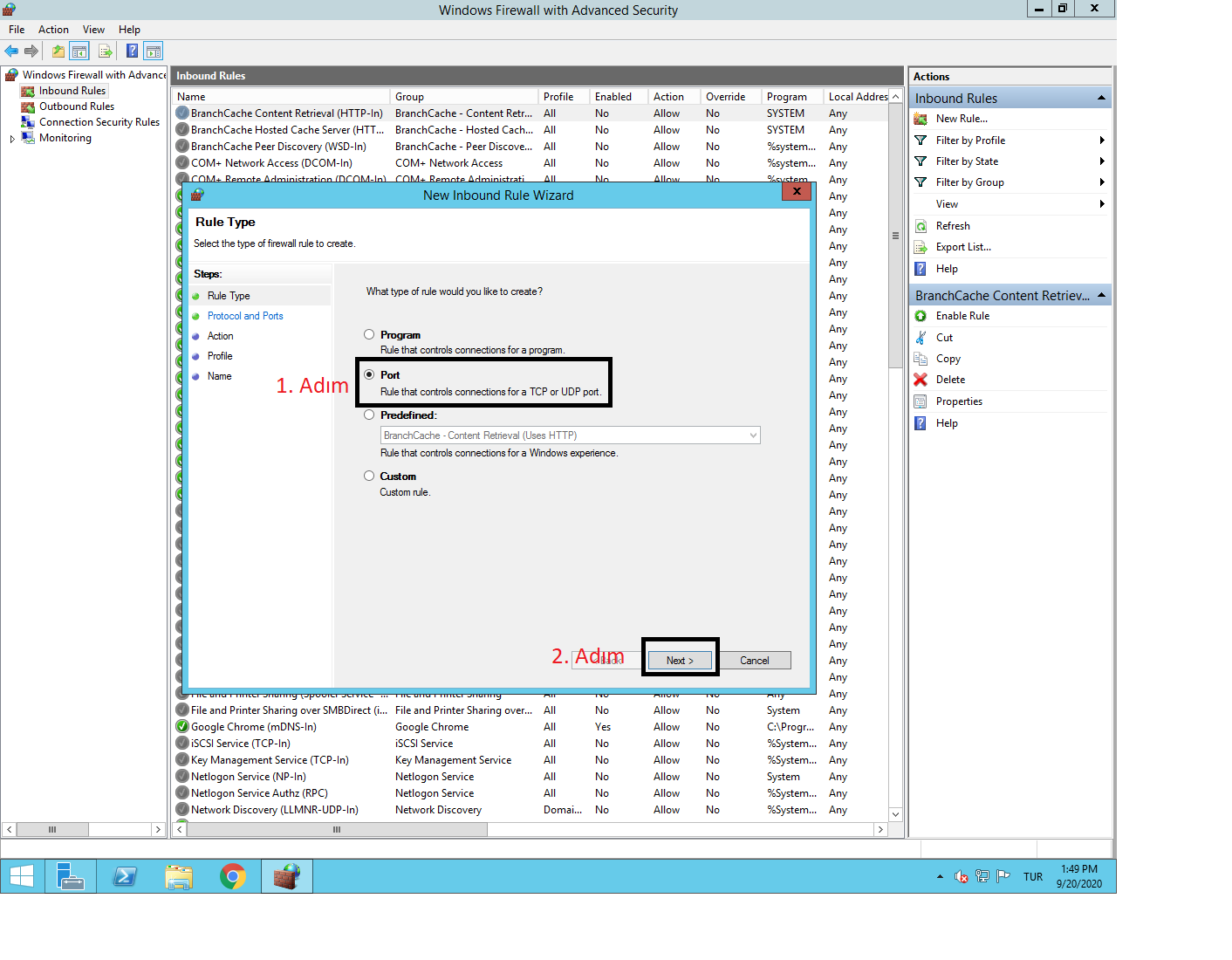
2. Step: Configuring Port Settings
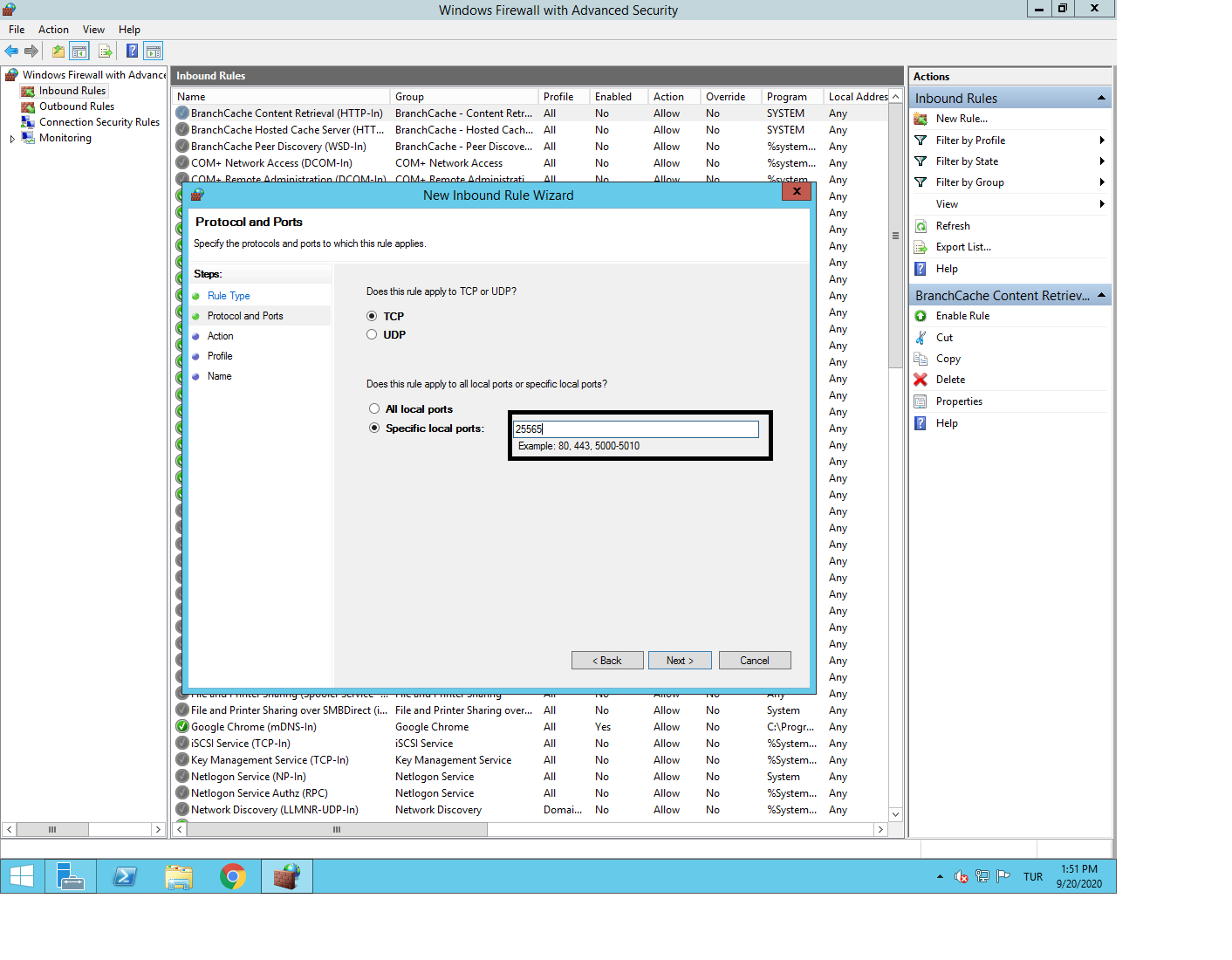
Here we enter 25565 as an example in the Port section. Because:
- Default port of Minecraft:
25565 - FiveM's default port:
30120
This port number may vary for each game or application.
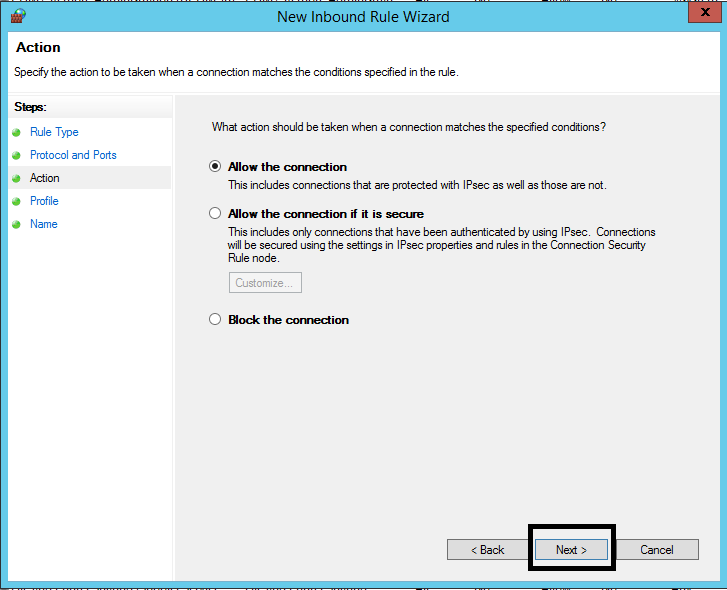
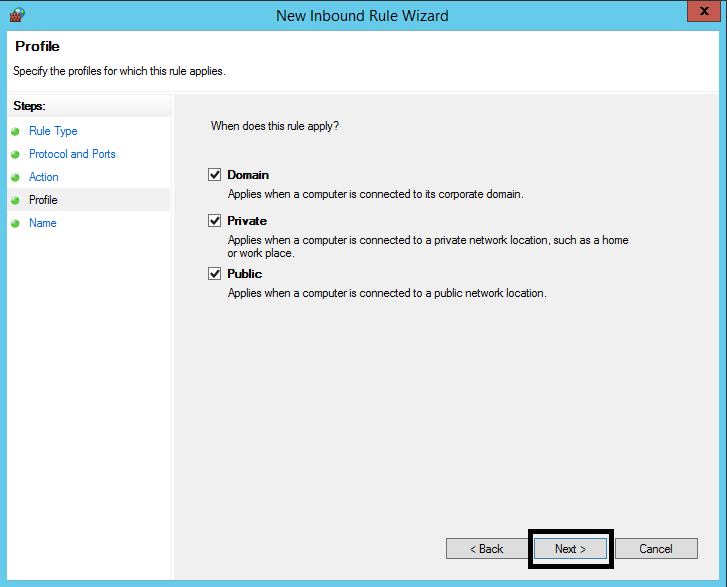
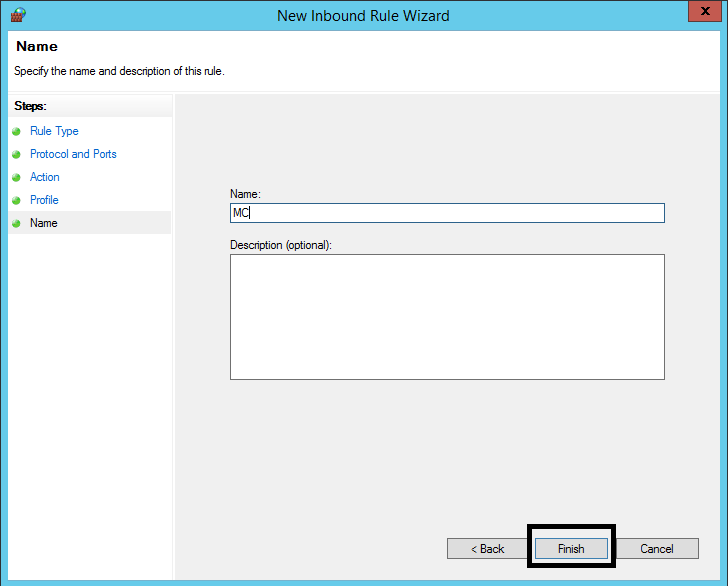
3. Step: Process OK
You're done! Now you know how to open a port!