

Python Tutorial: Comprehensive Guide for Beginners
Introduction
Welcome to Python tutorial!
There must be a reason for you being here. I think you came here because programming sounds cool.
So what makes it even cooler? Of course it's a great programming language.
There are many options in the programming world, but if you are looking for a language that combines simplicity and power, here it is: Python.
Python Tutorial for Beginners
Python is a high-level programming language that is widely used around the world today.
It is easy to use, adaptable and was developed by Guido van Rossum. You can check out more information.
In this training series, we will explore the world of Python step by step.
Benefits of Python
First, let's see what Python offers us. Here are some of its numerous advantages:
- Open source → It's free and anyone can contribute.
- Simple and readable syntax → Easy to learn, enjoyable to write.
- Rich libraries → Provides extensive support in areas such as data science, machine learning, data analysis.
- User friendly → There are ready-made data structures that are powerful but easy to use. Additionally, thanks to dynamic type support, it reduces the need to write extra code.
- Object-oriented design → Provides a clean structure and facilitates process control.
Step by Step Python Installation
1. Installing Python on Windows
If you are using Windows, you need to download the Python 3.x version by clicking here.
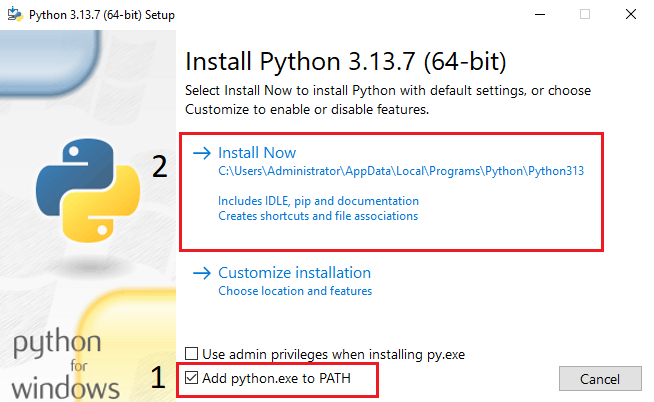
When the installation is finished, the success screen will look like this:
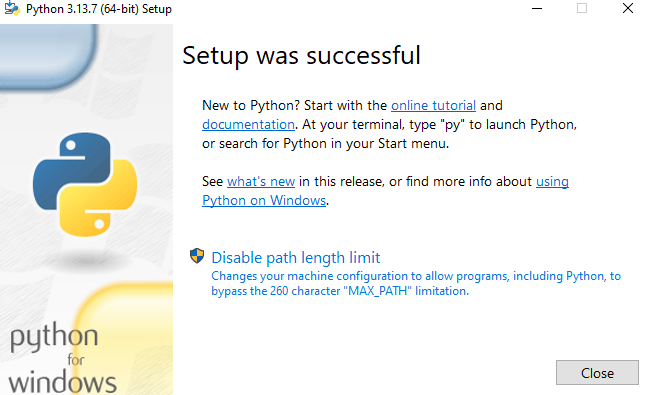
That's all!
You will now see an entry called “IDLE – Python 3.x GUI (32/64 Bit)” in the Start menu.
Click on it and open it.
This is the platform where you can write code in Python: Python Shell. 
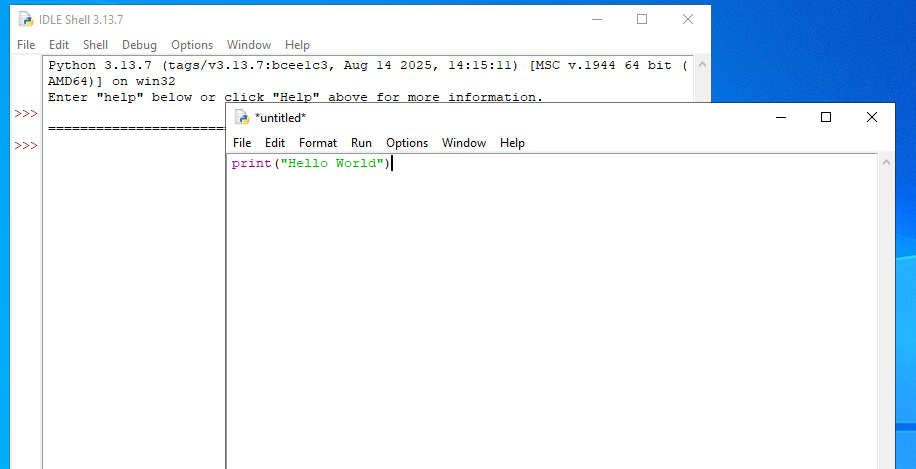
Now click on the File → New File menu.
A new file will appear. Type the following line and save:
print("hello world")
You can see the IDLE application in action in the image below:
Now click Run → Run Module.
Afterwards, you will see this on the Shell screen:
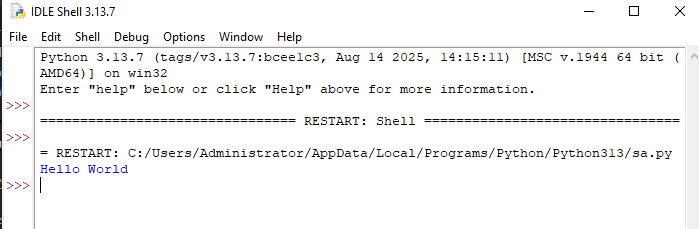
Result
As a Python beginner, it is best to start with an IDE (integrated development environment) that will make your job easier.
Writing your first programs simply will motivate you and increase your desire to continue.
IDLE, the default Python IDE, comes with a full installation and is more than enough to get started.
As you progress, you will have the chance to try different IDEs. Which one is better is a matter of preference.